
Are you a Nigerian student looking for financial assistance to fund your education? If so, you’re in the right place. The Nelfund platform is designed to provide loans for students, offering a solution to the financial burden many face while pursuing higher education. In this article, we’ll walk you through the process of how to login to the Nelfund portal, register for the platform, and successfully apply for a student loan.
Let’s explore the details of the Nelfund portal (nelf.gov.ng), where you can gain access to various student loan opportunities and educational benefits. With this guide, you’ll learn everything you need to know to get started!
What is Nelfund?

The Nelfund (National Education Loan Fund) is a government initiative aimed at helping Nigerian students secure financial support for their education. By accessing Nelfund, students can apply for loans, scholarships, and other forms of financial aid to ensure they don’t have to drop out due to lack of funds. The portal nelf.gov.ng provides a one-stop platform where you can register, apply for loans, and track your application status.
How to Register on Nelfund Portal
Before you can apply for a loan, you’ll need to register on the Nelfund portal. Here’s a simple guide to walk you through the registration process:
Step 1: Visit the Nelfund Portal
Head to the official Nelfund website at nelf.gov.ng. This is where you’ll start your registration process.
Step 2: Create an Account
To register, click on the “Sign Up” button on the homepage. You will be prompted to provide your personal details, such as:
- Full Name
- Date of Birth
- Email Address
- Phone Number
- Educational Institution
- Level of Study
Ensure that all the details you provide are correct because this will be used to verify your application.
Step 3: Set Up a Strong Password
You will need to create a password for your Nelfund account. Choose a strong, secure password that you can remember. The portal will also ask for a password confirmation to ensure accuracy.
Step 4: Submit Your Registration
Once you’ve filled in all the required details and set your password, click the “Submit” button. An activation link will be sent to your registered email address. Check your inbox and click the link to verify your email and complete your registration.
How to Login to the Nelfund Portal
After registering on the Nelfund portal, you can easily log in to your account whenever you need to access loan applications or track the status of your application.
Step 1: Visit the Official Website
Go back to nelf.gov.ng and click on the “Login” button located on the homepage.
Step 2: Enter Your Credentials
- Email Address: Use the email address you registered with.
- Password: Enter the password you created during registration.
Step 3: Access Your Account
Once you’ve entered your login credentials, click the “Login” button. If the information you provided is correct, you will be redirected to your account dashboard, where you can manage your loan applications and other tasks.
Step 4: Troubleshoot Login Issues (If Necessary)
If you forget your password, there’s no need to worry. The Nelfund portal has a password recovery option. Just click on the “Forgot Password” link, and you will receive instructions on how to reset your password.
How to Apply for a Student Loan on Nelfund
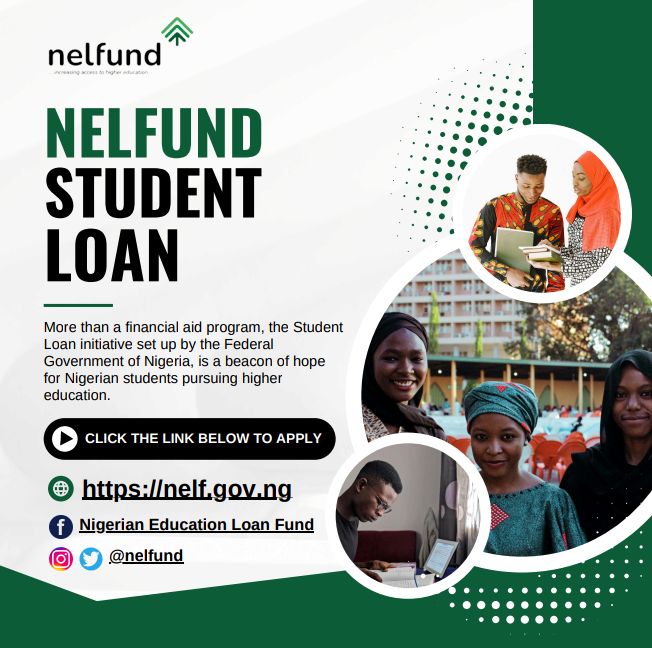
The primary purpose of the Nelfund portal is to assist students in applying for loans to fund their education. Here’s a step-by-step guide on how to apply for a student loan using the Nelfund portal:
Step 1: Login to Your Account
As described earlier, start by logging into your Nelfund account. If you’re not registered, follow the registration steps to create an account first.
Step 2: Select Loan Application
Once you’re logged in, navigate to the “Loan Application” section on your dashboard. This section will have all the information you need to apply for the loan.
Step 3: Provide Loan Details
You will be asked to provide some key details for your loan application, including:
- Amount Requested: How much money do you need for your education?
- Course of Study: Specify your major or field of study.
- Institution: The name of the university or institution you’re enrolled in.
- Course Duration: Provide information about the duration of your program.
Step 4: Submit Documents
You will be required to upload some essential documents, including:
- Proof of admission to your institution
- A valid ID card
- A letter of recommendation (if applicable)
- Your bank account details for loan disbursement
Ensure all documents are clear and legible to avoid any delays in processing your loan application.
Step 5: Review and Submit
Before you submit your application, take a moment to review all the information you’ve provided. If everything looks good, click on the “Submit” button.
Step 6: Wait for Approval
After submission, the Nelfund team will review your application. If everything checks out, your loan application will be approved, and the funds will be transferred to your bank account. You can track the status of your application via the portal.
Tips for a Successful Loan Application
- Ensure Accuracy: Double-check all your information before submitting your application. Mistakes can lead to delays or even rejection.
- Follow Instructions: Pay close attention to any specific instructions or requirements provided by Nelfund.
- Timely Submission: Apply as early as possible to avoid missing out on funding opportunities. Government-funded programs often have limited funds available.
- Stay Updated: Keep an eye on your email and portal notifications for updates regarding your application.
FAQs About Nelfund (nelf.gov.ng)
1. How can I log in to the Nelfund portal?
To log in, visit the official Nelfund website at nelf.gov.ng. Enter your registered email and password, and click the “Login” button to access your account.
2. How do I reset my Nelfund password if I forget it?
If you forget your password, click the “Forgot Password” link on the login page. Follow the instructions to reset your password via the email associated with your account.
3. How do I apply for a student loan on the Nelfund portal?
Once logged in, navigate to the “Loan Application” section. Fill in the required details such as the loan amount, course of study, and institution, and submit the necessary documents. After reviewing, submit your application for approval.
4. What documents do I need to upload when applying for a loan on Nelfund?
The required documents include proof of admission, a valid ID card, a letter of recommendation (if applicable), and your bank account details.
5. How long does it take for my loan application to be approved?
The approval process can take several weeks, depending on the number of applications. Be sure to check the status of your application via the Nelfund portal.
Final Thoughts
Navigating the Nelfund portal (nelf.gov.ng) might seem daunting at first, but with these clear instructions, you should have no trouble logging in, registering, and applying for a student loan. Whether you’re just starting your academic journey or you’re nearing the end, Nelfund offers an invaluable financial lifeline to students in need of support. So, why wait? Visit nelf.gov.ng today to begin your application process and take control of your educational future.